
Quick start
You’ve been invited to a project that uses murk for secrets. Here’s how to get set up.
-
Install murk
Section titled “Install murk”Terminal window brew tap interrupted-inc/murk && brew install murkOr:
cargo install murk-cli,pip install murk-secrets, or download from GitHub Releases. See Install & verify for every install path and how to verify a release. -
Generate your key
Section titled “Generate your key”Terminal window murk initThis creates your keypair and prints 24 recovery words. Write them down. If you lose your key, these words are the only way to recover it. See Key recovery.
murk stores your key in
~/.config/murk/keys/, not in the repo. -
Get authorized
Section titled “Get authorized”Ask whoever maintains the vault to authorize you. The easiest path is GitHub, with no manual key exchange:
Terminal window # (run by a current recipient, not you)murk circle authorize github:YOUR_USERNAMEThis fetches your SSH public keys from
https://github.com/YOUR_USERNAME.keysand adds them as recipients. murk pins the fingerprints on first authorize, so if your GitHub keys change later the nextauthorize github:YOUwill flag the diff before accepting new keys.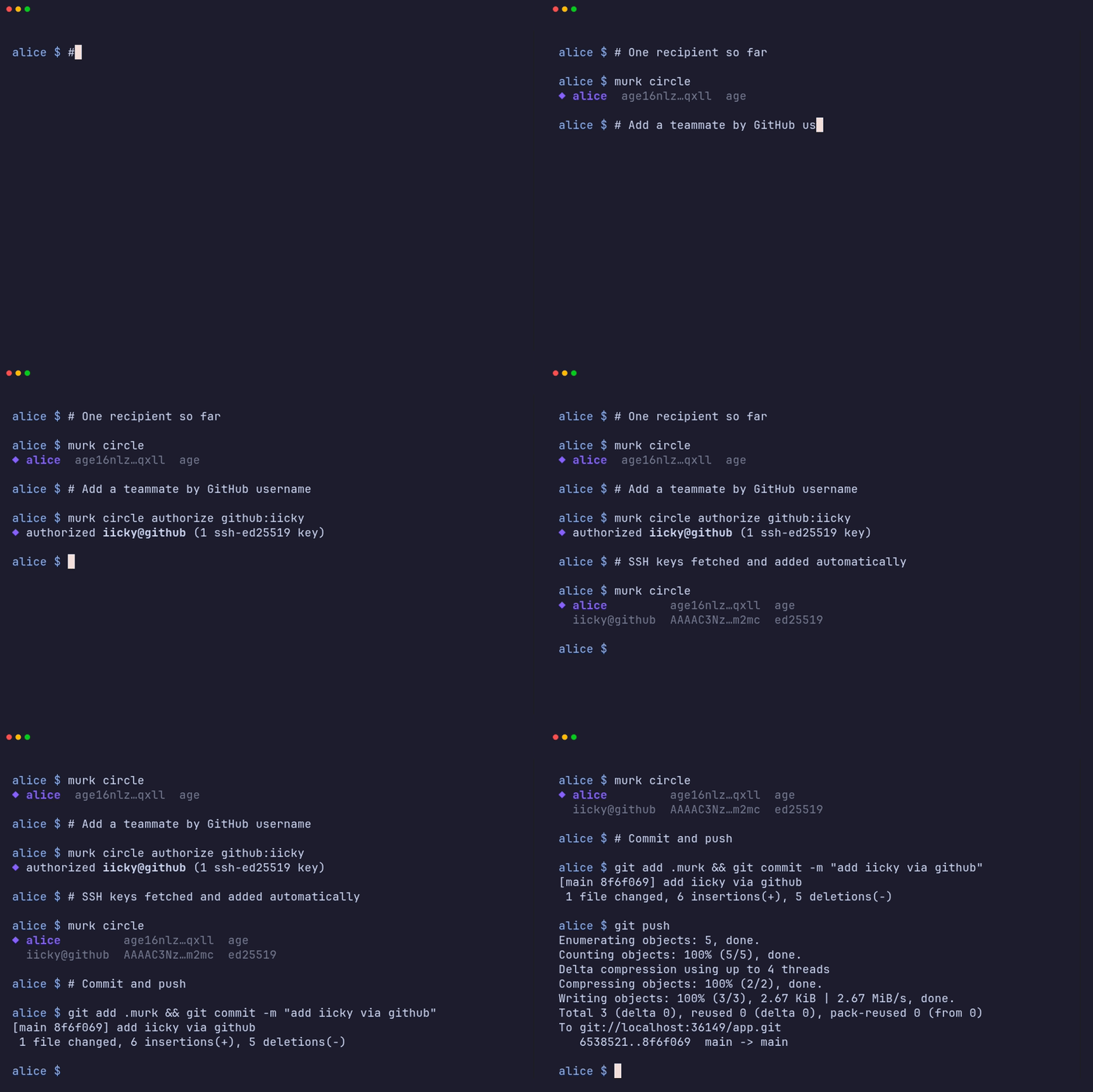
If GitHub isn’t an option, send them your raw age pubkey instead. Run
murk inita second time in the project directory. When the vault already exists and you are not yet authorized, it prints the pubkey you need to share:⚠ not authorized — share your public key to get added:age1…They authorize it with
murk circle authorize age1… --name you@example.com. -
Pull and use secrets
Section titled “Pull and use secrets”Once authorized:
Terminal window git pull # get the updated .murk filemurk ls # see what secrets are availablemurk get DATABASE_URL # print one secretmurk export # print all as shell exportsmurk exec -- ./my-script.sh # run a command with secrets in envSee the CLI reference for every command and flag.
-
Set up direnv (optional)
Section titled “Set up direnv (optional)”Terminal window murk envdirenv allowNow secrets are automatically loaded when you
cdinto the project. See direnv integration for how it works and how to keep it in sync as secrets change.
What to know
Section titled “What to know”- Key names are public. Anyone with repo access can see what secrets
exist (e.g.
STRIPE_KEY). Only values are encrypted. - Your key is your identity. Don’t share it. Don’t paste it into chat. Don’t commit it.
- Recovery phrase = your key. If someone has your 24 words, they have your key. See Key recovery.
- Revocation doesn’t erase history. If you leave the team, your access to old git history remains. The team should rotate secrets after revoking you. See Offboarding.