
direnv integration
direnv loads and unloads environment variables based
on your current directory. murk has built-in support for it, so secrets can
load automatically the moment you cd into a project: no manual export
or wrapper script.
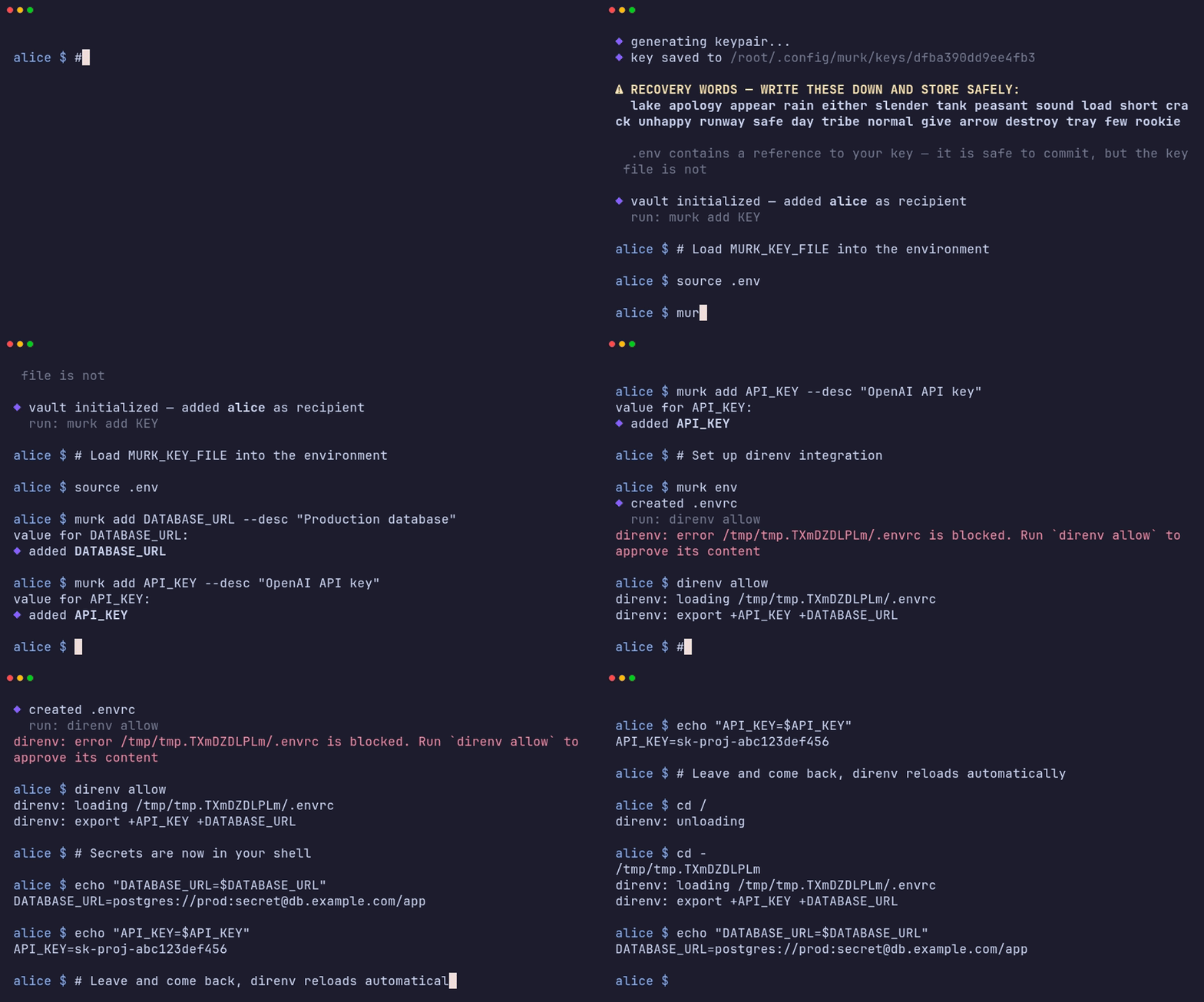
Setting it up
Section titled “Setting it up”murk envdirenv allowmurk env writes a .envrc for direnv integration, wired to your vault.
direnv allow tells direnv it’s safe to execute that .envrc (direnv
requires this explicit opt-in per directory, as a safety measure against
untrusted repos setting arbitrary environment variables on cd).
From then on, every secret in the vault (shared and any scoped overrides you’ve added) is exported into your shell automatically when you’re inside the project directory, and unset again when you leave it.
Where the key lives
Section titled “Where the key lives”Your private key is stored in ~/.config/murk/keys/ with restricted
permissions, outside the repository, and the CLI auto-discovers it based
on the vault’s absolute path. So under direnv nothing about the key needs to
live in the repo at all. The .envrc just runs murk export. (For shells that
don’t use direnv, murk init also writes a .env holding a MURK_KEY_FILE
reference to that path, never the key itself, so source .env works too.)
Either way, no secret material lands in the repo directory.
Without direnv
Section titled “Without direnv”If you’d rather not use direnv, murk exec gives you the same result for a
single command instead of an ambient shell environment:
murk exec ./deploy.sh # runs with all secrets in the environmentThis is also the pattern to reach for in non-interactive contexts like CI (see CI/CD) where there’s no shell session for direnv to hook into.
Related
Section titled “Related”- Quick start walks through
murk init→murk add→murk envend to end. - Environment variables documents every variable murk
reads and writes, including
MURK_KEY_FILE,MURK_VAULT, andMURK_KEY. - Shared vs scoped secrets covers how scoped overrides interact with what gets exported.